Mocks
Context
This section displays the user interface mockups for our automotive safety application. These mockups represent the visual design and layout of key screens that drivers will interact with.
Normal Navigation View
The main navigation interface displays the map, current location, speed, and route information.
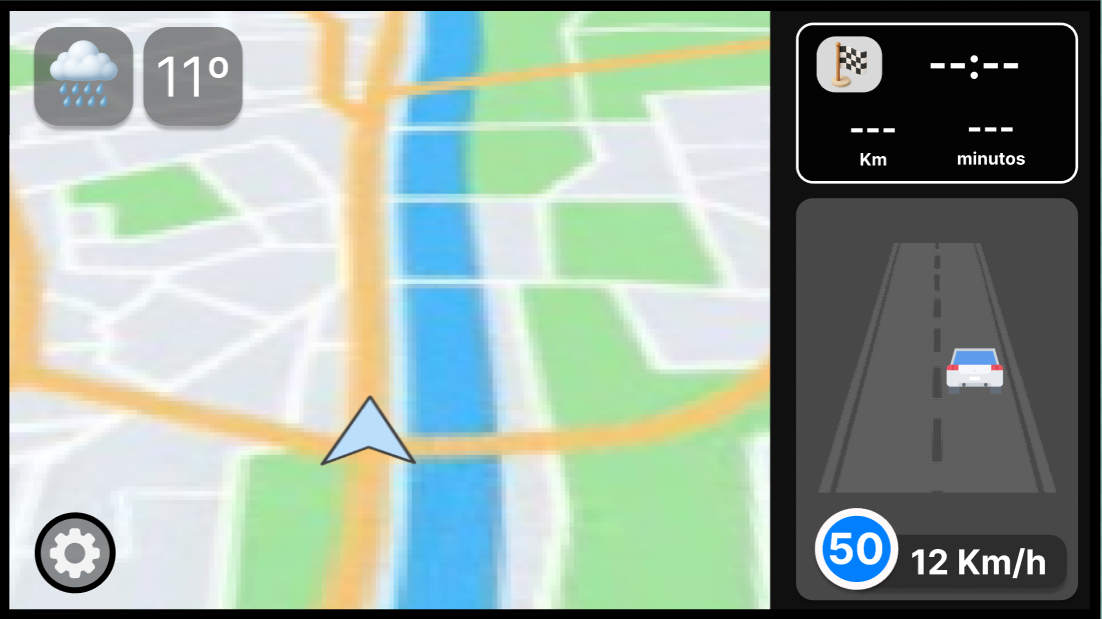
Key Elements:
- Live map display with current location
- Route guidance with turn-by-turn directions
- Current speed and speed limit indicators
- Navigation controls and destination info
Speed Alert View
When the vehicle exceeds the speed limit, the application displays a prominent speed alert.
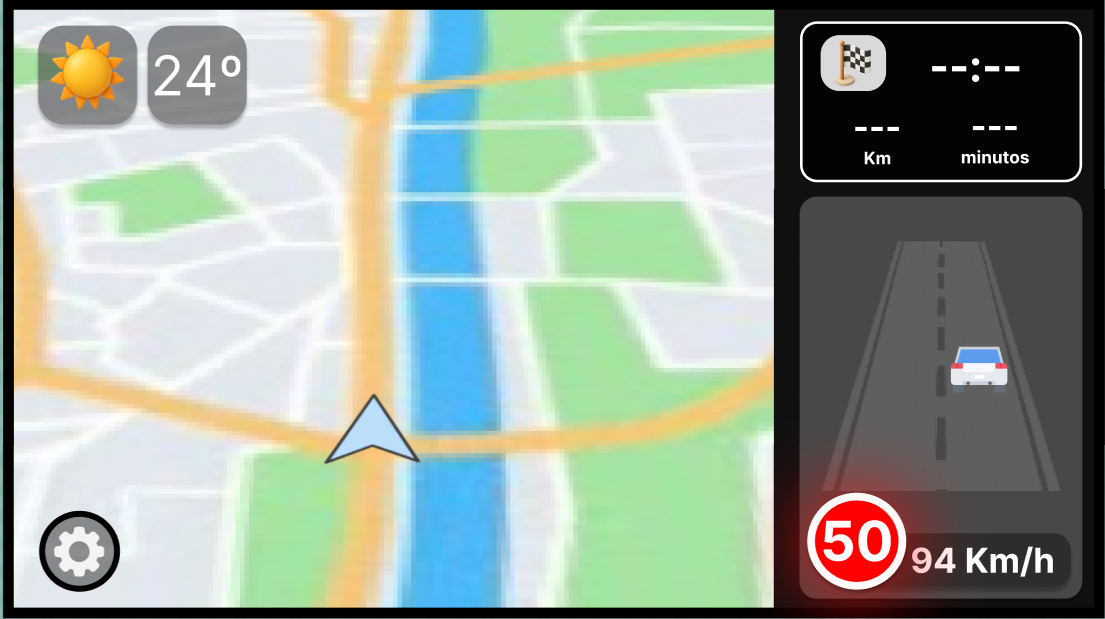
Key Elements:
- Speed limit display
- Current vehicle speed (highlighted in red when exceeding limit)
- Visual warning indicator
- Alert notification message
Route Planning View
The route selection interface allows drivers to choose between different route options based on preferences.
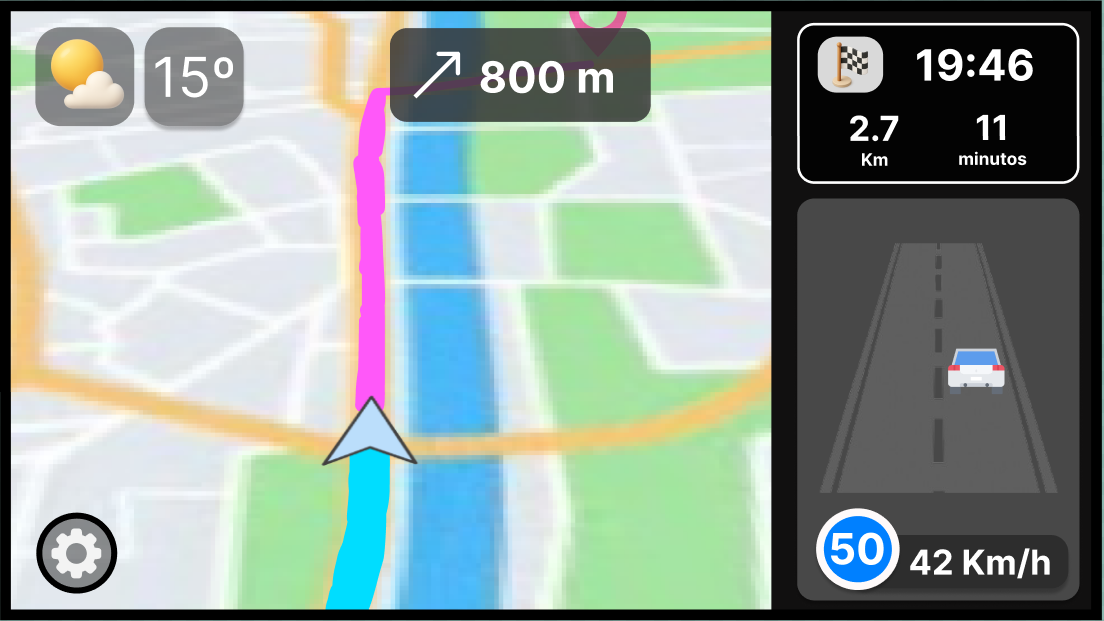
Key Elements:
- Multiple route options (safest, shortest, fastest)
- Estimated time and distance for each route
- Hazard indicators along routes
- Route selection controls
Overtaking Detection View
When another vehicle is detected overtaking, the system provides situational awareness alerts.
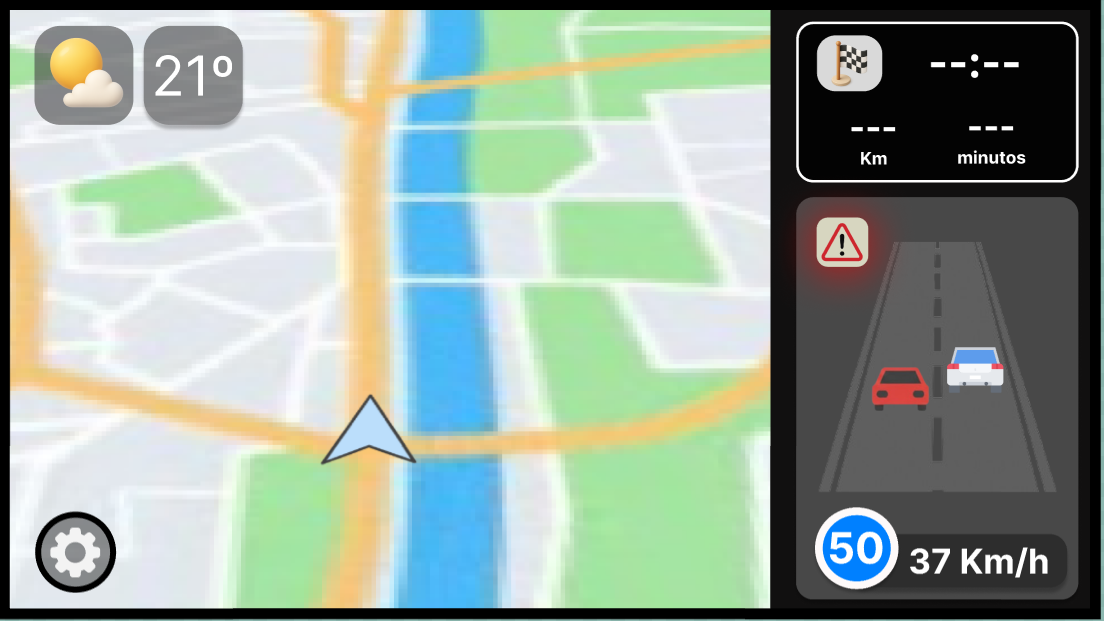
Key Elements:
- Vehicle detection in blind spots
- Overtaking vehicle indicators
- Driver awareness alert
- Safety recommendations
Visual Design Principles
Our mockups follow these design principles:
- Driver Safety First: All information is presented in a non-intrusive manner to minimize driver distraction
- Clear Hierarchy: Critical alerts (speed, hazards) are prominently displayed
- Accessibility: Large, readable fonts and high-contrast colors
- Intuitive Navigation: Simple controls and familiar navigation patterns
- Real-time Updates: All information reflects current driving conditions
Tutors:
- Rafael Direito (rafael.neves.direito@ua.pt)
- Diogo Gomes (dgomes@ua.pt)
Group:
- Diogo Nascimento (dca.nascimento5@ua.pt)
- Duarte Branco (duartebranco@ua.pt)
- Eduardo Romano (eduardo.romano@ua.pt)
- Filipe Viseu (filipeviseu@ua.pt)
- Samuel Vinhas (samuelmvinhas@ua.pt)
Institution: Telecommunications Institute of Aveiro (ITAv)